Photograph the receipt. That’s it.
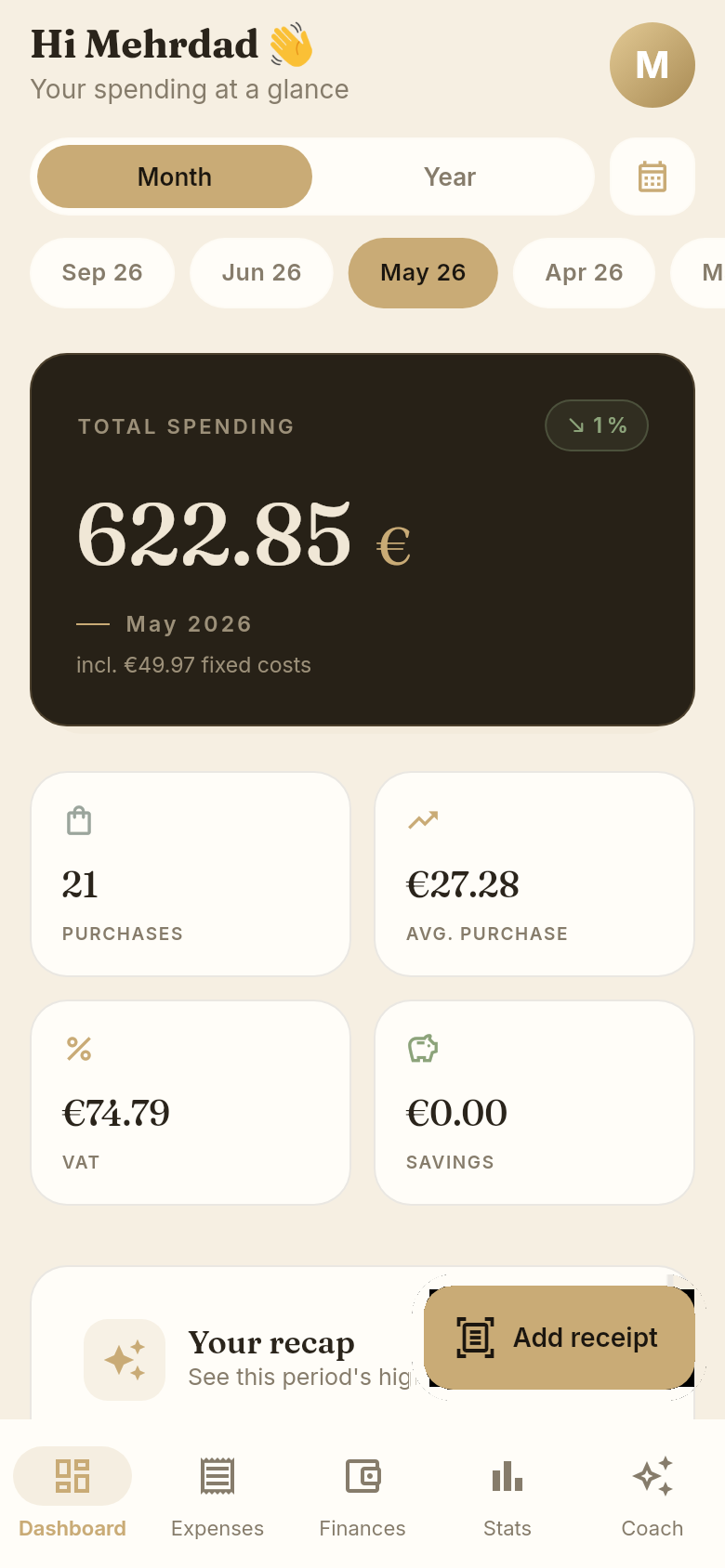
Belegio turns paper receipts into a clear picture of what you spend. You photograph the receipt; the app reads out every single line — product name, quantity, unit price, discount and VAT rate — sorts each item into a category, and builds your monthly overview from that. No typing, no spreadsheet, and no access to your bank account. Free for iPhone and Android, with the interface available in English.
Where it works today
Belegio is built and tested for European receipts. If you shop in Germany, Austria or Switzerland, everything on this page works right now — including if you’d rather use the app in English. A German supermarket receipt doesn’t care what language your phone is set to, and neither does Belegio.
Receipts from the UK, North America, Australia and Japan are not verified yet. The interface, the categories and the currencies are already there — the recognition itself still needs to be tested against real receipts from those countries before we’d claim it works. We’d rather tell you that here than have you find it out with your shopping in your hand.
So: if you’re in Europe, this is ready. If you’re not, you’re on the list — and the honest answer is that we’re not there yet.
How it works
- Photograph. Take a picture of the receipt, or share it into Belegio from another app.
- Check. Every item appears with name, quantity and price, about ten seconds later. Before saving, Belegio compares the sum of the recognised items against the total printed on the receipt. If they don’t match, you see it immediately — instead of finding out three months later that your statistics were quietly wrong.
- Understand. The monthly overview, categories, price history and budgets update themselves with every receipt you add.
What you get from item-level data
Most budget apps store “REWE €47.23” and let you tag it. That answers how much. It can’t answer what.
- Search any product you’ve ever bought. How often, at what price, at which shop.
- Price history per product. Not an inflation index — your milk, your coffee, your brand, over your months.
- Real shop comparison. Based on the basket you actually buy, not on a sample basket.
- Discounts and VAT captured separately, so the numbers reconcile with the paper.
- Budgets per category, with a warning before the limit is reached.
- Fixed costs like streaming or a phone plan counted into the monthly total, with a reminder before the next charge.
- Ask in plain language. “What did I spend at Lidl this month?” The answer comes from your own receipts, not from a generic model.
More detail: how the receipt scanner works · budget app for couples.
Built for two people, not one
Most budget apps assume a single user, then bolt sharing on afterwards. Belegio starts the other way round.
Accounts are separate by default — nobody sees your receipts. Sharing a household requires both people to confirm each other; a one-sided invitation does nothing. And once you share, individual receipts and individual items can still be marked private, which keeps them out of the joint view entirely.
That last part is not a technicality. It’s the difference between a shared budget and being audited by someone you live with.
Your data
Receipts, items and all analysis are stored on a server in Germany, operated inside the EU. Your shopping data is not sold and not passed to advertisers.
One exception, stated plainly: for the text recognition itself, the receipt photo is sent to a cloud provider in the United States — Anthropic, with DeepInfra only as a fallback if Anthropic is unavailable. This happens only after you explicitly consent, the photo is deleted after processing, and you can withdraw the consent at any time in Settings, after which no photos are transmitted.
Consent is granular: receipt recognition, personalised offers and anonymous statistics are three separate switches, each optional and each revocable. Your account and everything in it can be deleted from inside the app — a button, not an email to support.
Languages and currencies
The interface is available in English, German, Turkish, Russian, Spanish and Persian, including all category names. Amounts can be displayed in 15 currencies, among them USD, CAD, AUD, GBP and EUR.
A note on what that does and doesn’t mean: choosing a currency changes how amounts are displayed. It does not convert between currencies, and it does not mean receipts from that country are supported yet — see Where it works today.
What it costs
Free, with ten scans a day and non-personalised advertising. Belegio Premium is an optional monthly subscription that raises the scan limit and removes the ads. Cancel any time in your App Store or Google Play account settings.
Why it costs anything at all: reading a receipt runs through a paid recognition service every single time. Premium covers that cost. There is no version of this app where scanning is free and unlimited, and we’d rather explain that than pretend otherwise.
FAQ
Frequently asked
Which receipts can Belegio read?
Do I need to connect my bank account?
Can I use the app in English if I live in Germany?
Will my partner see everything?
What happens to my receipt photos?
Can I get my data out?
Photograph the receipt.
That’s it.
Free · No bank connection · Servers in Germany
Questions? [email protected] — we answer in English.
Legal texts (privacy policy, terms, imprint) are available in German: Datenschutz · Nutzungsbedingungen · Impressum